
Configure Sybra
Most configuration is editable from the Settings page. Full schema lives in Config reference.
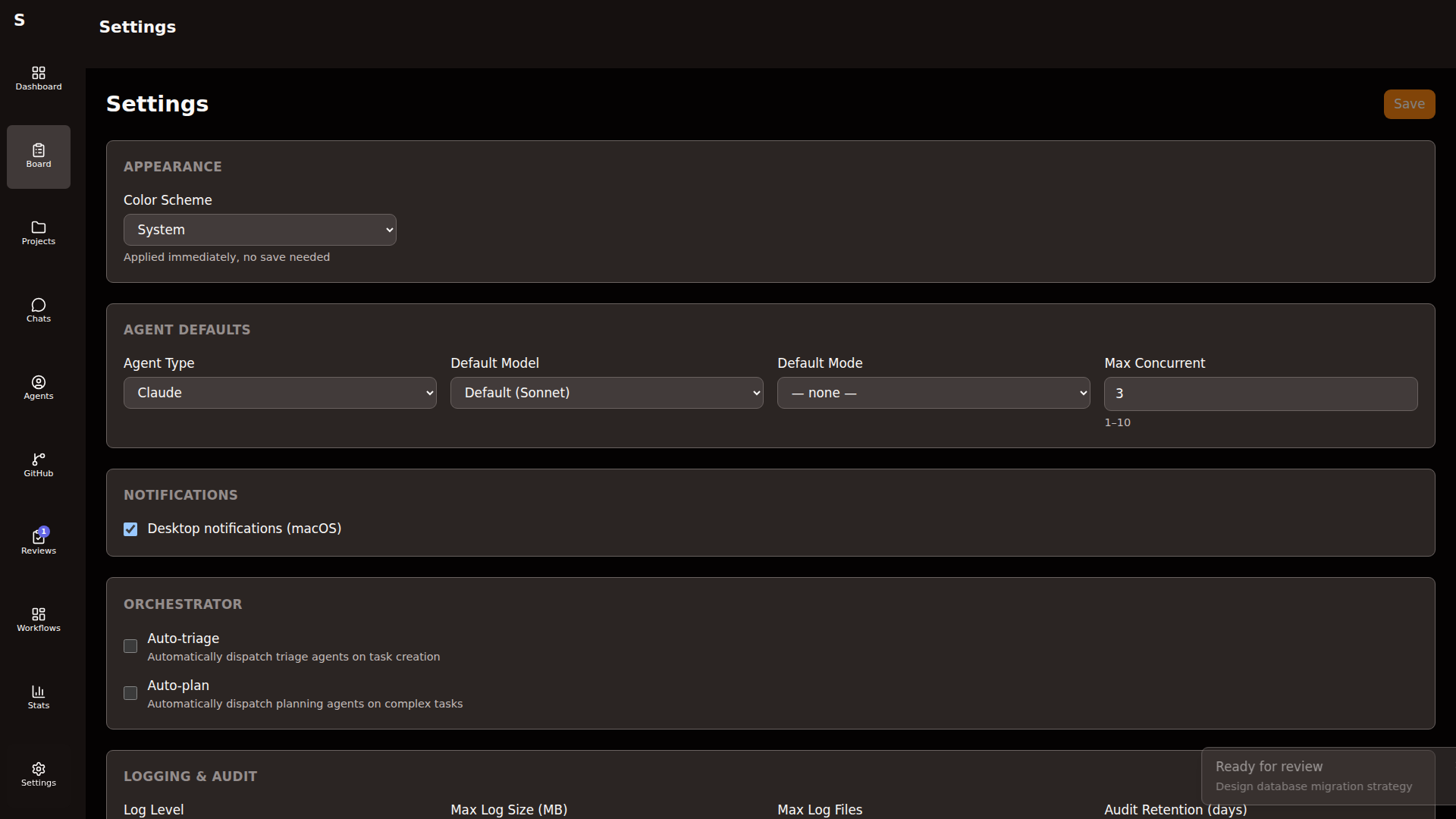
Settings edits write to ~/.sybra/config.yaml live. Sybra reloads affected services without a restart in most cases.
Sections
Section titled “Sections”Logging
Section titled “Logging”- Level —
debug/info/warn/error - Directory — where rotating logs live (
~/.sybra/logs/by default) - Rotation — max file size and retention count
Raise to debug when diagnosing a weird agent run; drop back to info after. debug writes hot and fills disk fast.
- Enabled — controls
~/.sybra/logs/audit/ - Retention — days to keep daily NDJSON files
Leave enabled. The audit log is what the self-monitor judges against.
Notifications
Section titled “Notifications”- Desktop — macOS/Linux native notifications for escalations, task completions, review requests
Toggle off during focus sessions. The in-app badges still update.
Agent defaults
Section titled “Agent defaults”| Field | Typical value |
|---|---|
| Provider | claude |
| Model | sonnet |
| Max concurrent | 3 |
| Max cost (USD) per run | 5.0 |
| Max turns | 150 |
| Require permissions | true |
These apply to every new agent unless overridden per task or per workflow step.
Integrations
Section titled “Integrations”| Integration | Config keys |
|---|---|
| Todoist | todoist.enabled, todoist.api_token, todoist.poll_seconds |
| GitHub | github.enabled |
| Renovate | renovate.enabled, renovate.author |
Toggle individually. Disable what this machine should not do.
Orchestrator
Section titled “Orchestrator”- Auto-triage — let the orchestrator classify
newtasks automatically - Auto-plan — for tasks tagged
medium/large, auto-dispatch a planning agent
Turn off during debugging. Manual drives the board cleanly.
Monitor
Section titled “Monitor”- Enabled — the in-process anomaly watchdog
- Interval — seconds between checks (default 300)
- Stuck human-required threshold — hours before the monitor pings you
SelfMonitor
Section titled “SelfMonitor”- Enabled — hourly retrospective judge
- Dry run — default
true; set tofalseto let it auto-act - Auto-act categories — which finding types can trigger action
Editing the file directly
Section titled “Editing the file directly”~/.sybra/config.yaml is plain YAML. Edit it in any editor. Sybra’s fsnotify watcher picks up changes within a second.
Format:
logging: level: infoagent: provider: claude model: sonnet max_concurrent: 3 max_cost_usd: 5.0todoist: enabled: true api_token: $TODOIST_TOKEN # env substitution supportedEnv substitution ($VAR, ${VAR}) happens at load time. Keep secrets in environment variables, not in the file itself.
Validation
Section titled “Validation”On load, Sybra validates the config against the schema. Invalid fields:
- Unknown field — warning logged, field ignored
- Wrong type — error; Sybra falls back to the last-known-good config
- Missing required — error at startup; app refuses to launch
Check the startup log (~/.sybra/logs/sybra.log) for validation warnings.
Resetting to defaults
Section titled “Resetting to defaults”Delete ~/.sybra/config.yaml. Sybra writes a fresh default on next start.